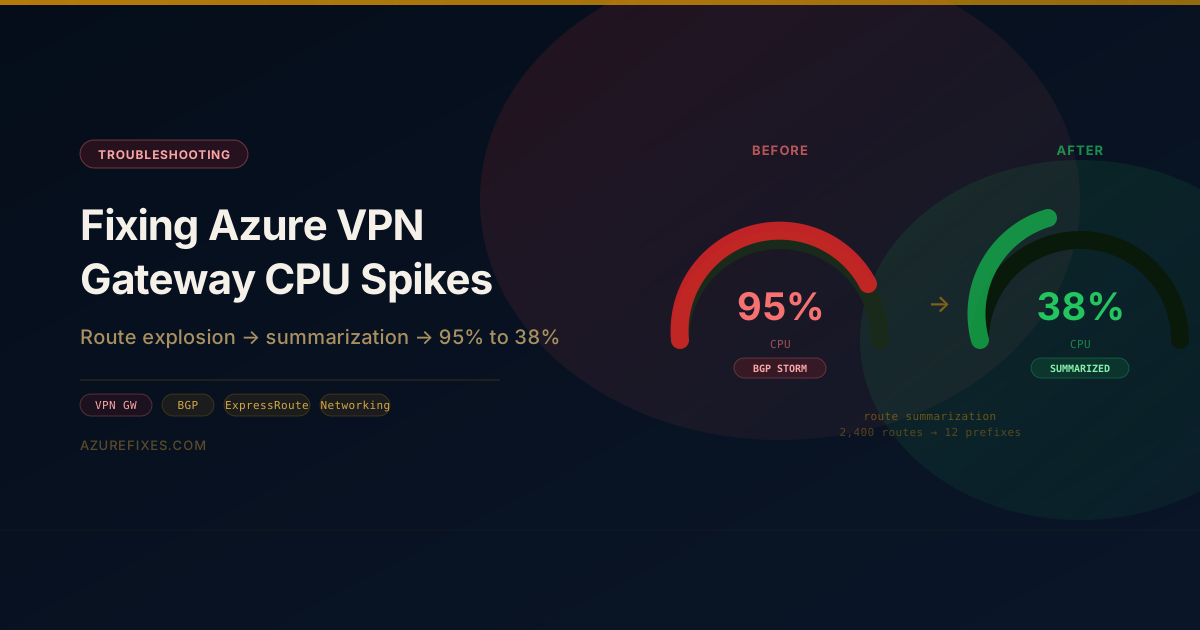
If your Azure VPN Gateway CPU is pegged above 85% and your traffic volume is well within the SKU's throughput limit, the gateway is spending cycles on something other than forwarding packets. The most common cause — by a wide margin — is BGP route bloat: too many prefixes being advertised from on-premises, triggering a CPU-intensive reconvergence feedback loop.
This guide walks through diagnosing the route count, fixing summarization on the CE router, adding a route filter on the Azure side, and upgrading the SKU if needed.
Symptoms
Alert pattern:AzureVPNGateway CPU Utilization > 85% for 15 minutes
What you will see in the portal:
Both gateway instances: 90%+ CPU
BGP peer state: Connecting (flapping every 3–5 minutes)
Active tunnels: fewer than provisioned
Traffic: well under the SKU's throughput limit
The traffic volume mismatch is the key signal. CPU at 95% with only 340 Mbps of traffic on a VpnGw1 (650 Mbps limit) rules out a throughput problem. The gateway is spending cycles on BGP processing, not packet forwarding.
BGP session drops in the Activity Log look like this:
The BGP session to the CE router resets on a cycle. Each reset triggers a full route table exchange on reconnect — which is exactly when CPU spikes — creating a feedback loop where high CPU causes a BGP drop, which triggers reconvergence, which causes high CPU.
If the output is in the hundreds or thousands, that is the root cause. VpnGw1 is documented as supporting up to 100 BGP routes per peer before behavior becomes unpredictable.
Step 2 — Examine the Routes
# Sample the first 20 routes to see the patternaz network vnet-gateway list-learned-routes \ --resource-group rg-hub-eastus \--name vpn-hub-eastus \--output json | jq '[.[].network] | sort | .[0:20]'
If you see individual /30 point-to-point links and /32 loopbacks advertised separately, the on-premises CE router is exporting the full IP plan into BGP without aggregation. This commonly happens after migrations from static routing to BGP where summarization was never configured.
Step 3 — Confirm the Gateway SKU Limit
The Azure documentation for VpnGw1 states a maximum of 100 BGP routes recommended per peer. The undocumented behavior above that threshold: the gateway processes BGP updates but routing table programming to Azure VMs becomes slow, BGP keepalive processing gets deprioritized, and sessions eventually time out.
Step 4 — Check for Other Contributors
# IKE SA count — rekey storms can also spike CPUaz network vnet-gateway show \ --resource-group rg-hub-eastus \--name vpn-hub-eastus \--query'ipsecPolicies'# Connection countaz network vpn-connection list \ --resource-group rg-hub-eastus \--output table
If connections have staggered establishment dates and default IKE rekey intervals (8 hours), a rekey storm is unlikely. If you see many connections that all came up at the same time, IKE rekeys may be a contributing factor.
Architecture Diagram
Before: 2,400 /30 prefixes causing BGP reconvergence loop. After: 12 summarized prefixes, stable BGP, CPU at 38%.click to zoom
The Fix
Fix 1 — Route Summarization on the On-Premises CE Router
Configure route aggregation on all CE routers to suppress the specific /30 and /32 routes and advertise only supernet summaries.
summary-only suppresses the more-specific routes — only the aggregate is advertised to eBGP peers. This reduces the advertised prefix count from thousands to a handful.
Fix 2 — Add a BGP Route Filter on Azure (Defense in Depth)
Even with summarization on the on-prem side, add an inbound BGP route filter as a safety net so that a future CE misconfiguration cannot flood the gateway again.
For a Local Network Gateway (policy-based):
# Set max prefixes accepted from this peeraz network local-gateway update \ --resource-group rg-hub-eastus \--name lng-onprem-primary \ --local-address-prefixes "10.10.0.0/16""10.20.0.0/16""10.30.0.0/16"\"172.16.0.0/14""192.168.0.0/22"
For route-based connections with BGP, implement prefix filtering on the on-prem router using prefix-list and a route-map:
ip prefix-list AZURE-IN seq 10 permit 0.0.0.0/0 le 22ip prefix-list AZURE-IN seq 20 deny 0.0.0.0/0 le 32router bgp 65000 neighbor 10.0.0.4 route-map LIMIT-AZURE-BGPinroute-map LIMIT-AZURE-BGP permit 10 match ip address prefix-list AZURE-IN
This rejects any prefix longer than /22 from being accepted from Azure peers — preventing a fat-finger from accidentally advertising host routes.
Fix 3 — Upgrade the Gateway SKU
If you have more than four site-to-site tunnels, traffic trending above 500 Mbps, or more than 100 BGP prefixes even after summarization, upgrade from VpnGw1 to VpnGw2.
# Resize the gateway (causes ~30 seconds of downtime per instance in active-standby;# active-active: brief failover to the other instance)az network vnet-gateway update \ --resource-group rg-hub-eastus \--name vpn-hub-eastus \--sku VpnGw2
VpnGw2 provides:
1.25 Gbps aggregate throughput (vs 650 Mbps on GW1)
Higher BGP route table capacity
More IKE SA processing headroom
The resize takes approximately 18 minutes. BGP sessions reconverge within 90 seconds of the resize completing.
The native GatewayAverageBandwidth metric captures tunnel throughput but not CPU directly. For CPU, use the Gateway Diagnostics log category in Log Analytics:
Why VpnGw1 Specifically Struggles With Route Bloat
The VPN Gateway appliance processes BGP in-line on the same compute resources that handle IKE negotiations and IPSec encryption. On VpnGw1, these resources are limited enough that a large BGP routing table causes the BGP process to consume CPU cycles that should be handling keepalives and data-path encryption.
When the BGP process can't send keepalives within the hold-timer (default: 90 seconds), the remote peer declares the session dead and resets it. The reset triggers a full BGP table exchange on reconnect. That exchange is even more CPU-intensive than steady-state route maintenance — it's a batch upload of the entire table — which is why the feedback loop is so destructive.
The fix isn't about making BGP "faster" on the gateway. It's about keeping the route table small enough that BGP processing is trivial compared to the gateway's available CPU budget.
Key Takeaways
Route summarization is not optional in BGP-based VPN topologies. Any migration from static routing to BGP must include an aggregation design review before cutover.
The effective BGP route limit for VpnGw1 is ~100 prefixes per peer, not the documented maximum. At scale, the gateway shows stress well before hitting a hard ceiling.
Active-active gateways don't protect against CPU-based failures. Both instances run the same BGP process against the same route table. If the table is too large, both instances spike simultaneously.
Add a BGP route count alert before connecting new sites. The alert should fire at 100-200 prefixes — well before the 2,000+ threshold that causes instability.
A resize to VpnGw2 is low-risk and fast. Approximately 18 minutes of maintenance, ~30 seconds of actual downtime in active-active mode, and a meaningful increase in headroom for roughly $100/month more than VpnGw1.